
How to Create a Content Calendar for Your Blog: A Complete Step-by-Step Guide
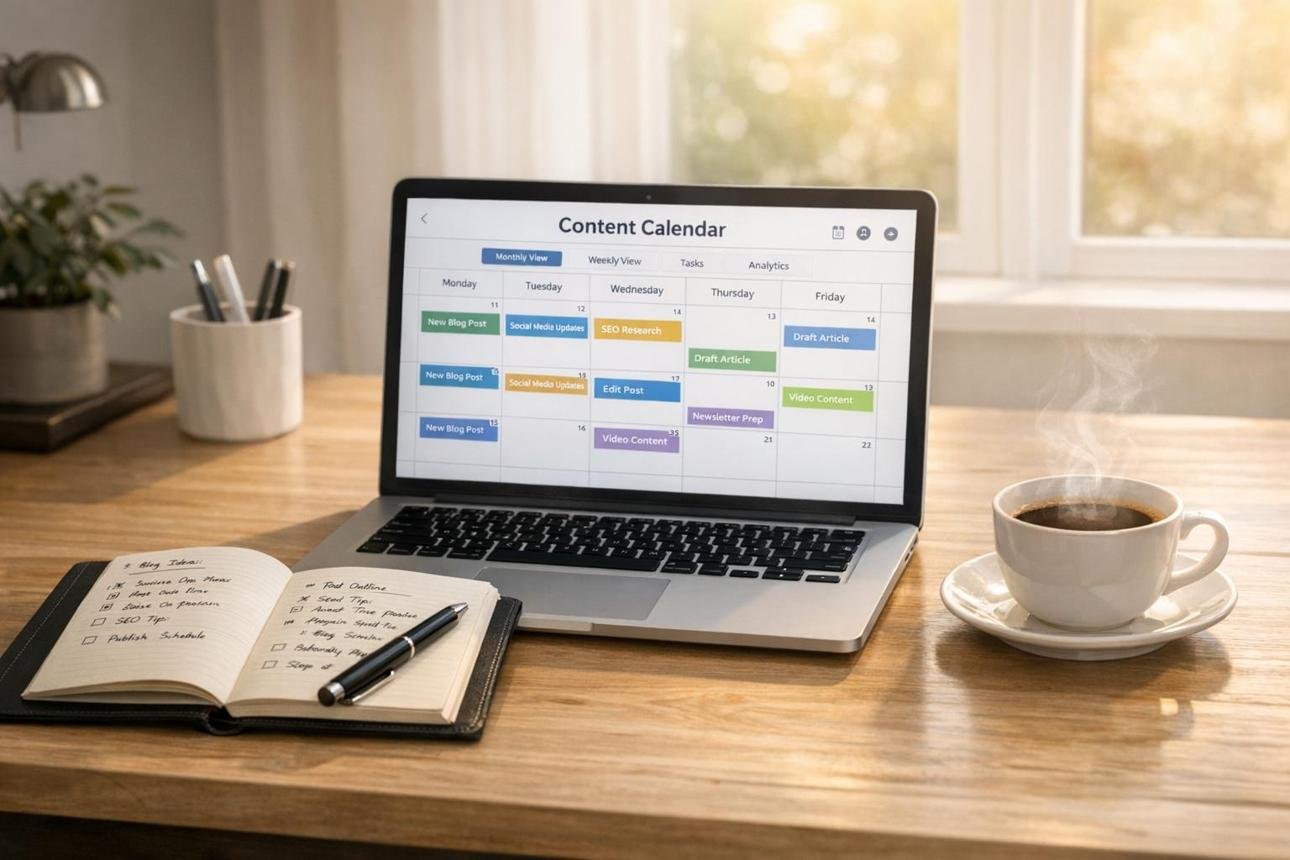
Running a successful blog requires more than writing and publishing articles whenever you have free time. To grow a blog, attract regular visitors, and build a loyal audience, you need a clear content strategy. One of the easiest ways to organize that strategy is by creating a content calendar.
A content calendar helps you plan what to publish, when to publish it, and which topics to cover. Instead of struggling to find new article ideas every day, you can prepare your topics in advance and follow an organized publishing schedule.
Whether you operate a personal finance blog, technology website, health blog, educational website, or digital marketing platform, a content calendar can make blogging more manageable.
In this guide, you will learn what a blog content calendar is, why it is important, and how to create one step by step.
What Is a Content Calendar for a Blog?
A content calendar is a planning document that helps bloggers organize their upcoming articles and publishing activities.
It usually includes information such as:
- Blog post titles.
- Target keywords.
- Article categories.
- Publishing dates.
- Content formats.
- Assigned writers.
- Article status.
- Editing deadlines.
- Featured images.
- Promotion plans.
For example, if you publish three articles every week, a content calendar allows you to prepare those topics in advance and assign a specific publishing date to each one.
You can create your calendar using Google Sheets, Microsoft Excel, Notion, Trello, or a simple notebook.
The goal is to have a clear plan that helps you publish useful content consistently.
Why Is a Content Calendar Important for Bloggers?
Creating a content calendar offers several benefits, especially if you manage multiple blog categories or publish articles regularly.
1. Helps You Stay Consistent
Consistency is important when managing a blog. Without a plan, you may publish several articles in one week and then go weeks without publishing anything.
A content calendar helps you establish a realistic schedule and maintain a regular publishing routine.
2. Saves Time
Planning your topics in advance reduces the time you spend deciding what to write about.
You can research several topics at once, prepare article outlines, and organize your writing sessions more efficiently.
3. Prevents Repeated Topics
Bloggers sometimes publish multiple articles covering almost exactly the same subject.
A content calendar helps you review your existing topics and plan different articles that serve distinct search intentions.
4. Supports SEO Strategy
A well-organized calendar makes it easier to plan keyword research, related articles, internal links, and topic clusters.
For example, a finance blog could organize content around budgeting, saving, investing, debt management, and passive income.
This helps you build a more organized collection of useful resources.
5. Makes Content Promotion Easier
Publishing an article is only one part of blogging. You may also want to share it through Facebook, Pinterest, LinkedIn, email newsletters, or other relevant platforms.
A content calendar allows you to plan promotional activities alongside publishing dates.
6. Helps You Measure Progress
When your topics and publishing dates are recorded, you can review your progress and identify which types of content perform well.
This helps you make better decisions about future articles.
Step 1: Define Your Blog’s Main Goals
Before creating a content calendar, decide what you want your blog to achieve.
Your goals will influence the topics you choose and how frequently you publish.
Some common blogging goals include:
- Increasing organic search traffic.
- Building an email subscriber list.
- Growing an audience on social media.
- Promoting affiliate products.
- Generating leads for a business.
- Selling digital products.
- Establishing authority in a particular niche.
For example, if you operate a personal finance blog, your main goal might be to attract readers searching for information about saving money, budgeting, and investing.
If you run a technology blog, you might focus on software tutorials, AI tools, cybersecurity, and technology trends.
Choose a few clear goals rather than trying to achieve everything at once.
Step 2: Understand Your Target Audience
Your content calendar should be based on the people you want to reach.
Think about the questions your readers ask, the problems they face, and the information they need.
For example, a beginner finance audience may be interested in:
- How to create a monthly budget.
- How to save money on a low income.
- How to start investing with little money.
- How to pay off debt.
- How to build an emergency fund.
A technology audience may prefer topics such as:
- Best AI tools for beginners.
- How to protect personal information online.
- How to use cloud storage.
- How to choose a laptop.
- How to improve computer security.
You can discover audience interests by examining Google search suggestions, related searches, online forums, social media discussions, and Google Search Console data.
The more you understand your audience, the easier it becomes to select useful blog topics.
Step 3: Choose Your Main Content Categories
Content categories help you organize your blog around specific subjects.
Instead of publishing unrelated articles, create several main categories that represent your website’s niche.
For example, a finance blog might have the following categories:
| Category | Example topics |
|---|---|
| Personal Finance | Budgeting and saving money |
| Investing | Stocks, bonds, and ETFs |
| Making Money Online | Freelancing and blogging |
| Banking | Bank accounts and digital banking |
| Cryptocurrency | Bitcoin and blockchain |
| Business | Small businesses and entrepreneurship |
A digital marketing blog could use categories such as:
| Category | Example topics |
|---|---|
| SEO | Keyword research and website rankings |
| Blogging | Content creation and blog growth |
| Affiliate Marketing | Affiliate programs and commissions |
| AI Tools | AI writing and productivity tools |
| Social Media | Marketing and audience growth |
| Website Management | WordPress and website optimization |
These categories make it easier to organize your calendar and identify areas where your website needs more content.
Step 4: Conduct Keyword Research
Keyword research helps you discover what people are searching for on Google and other search engines.
Before adding a topic to your content calendar, identify its main keyword and understand the search intent.
For example, consider these keywords:
- How to start a blog.
- Best blogging platforms for beginners.
- How to make money from blogging.
- How to increase blog traffic.
- How to create a content calendar.
Each keyword represents a different information need.
You can use tools such as:
- Google Keyword Planner.
- Google Trends.
- Google Search Console.
- Ahrefs.
- Semrush.
- Ubersuggest.
When choosing keywords, consider their relevance, search demand, competition, and how well you can answer the searcher’s question.
Do not select topics only because a tool reports high search volume. A relevant topic with a smaller audience may be more valuable to your website than an unrelated popular keyword.
Step 5: Generate and Organize Blog Topic Ideas
Once you understand your categories and keywords, start collecting article ideas.
You can generate ideas by:
- Researching popular questions in your niche.
- Reviewing competitor websites.
- Studying Google autocomplete suggestions.
- Examining related searches.
- Reviewing questions from your readers.
- Identifying missing information in existing articles.
- Looking at your website’s Search Console queries.
For example, if your website focuses on SEO, possible blog topics include:
- How to Learn SEO as a Beginner.
- How to Find Low-Competition Keywords.
- How to Use Google Search Console.
- How to Write SEO-Friendly Blog Posts.
- How to Improve Website Speed.
- How to Build Quality Backlinks.
- What Is Technical SEO?
- How to Optimize Images for SEO.
Keep all your ideas in one document or spreadsheet. You do not need to publish every idea immediately. You can prioritize the most useful topics and schedule the rest for later.
Step 6: Decide How Often You Will Publish
One of the biggest mistakes new bloggers make is choosing an unrealistic publishing schedule.
You do not need to publish five articles every day to build a successful blog.
Instead, select a schedule that you can maintain while producing helpful content.
Here are some examples:
| Publishing frequency | Monthly article target |
|---|---|
| 1 article per week | 4 articles |
| 2 articles per week | 8 articles |
| 3 articles per week | 12 articles |
| 5 articles per week | About 20 articles |
| 1 article per day | About 30 articles |
If you are a beginner, starting with two or three well-researched articles per week may be more manageable than publishing daily.
Quality, usefulness, and accuracy should always come before publishing frequency.
Step 7: Create Your Content Calendar
Now that you have your goals, categories, keywords, and topics, you can create your actual calendar.
A spreadsheet is one of the simplest ways to get started.
Include these columns:
| Column | What to include |
|---|---|
| Publishing date | Planned publication date |
| Blog title | Article headline |
| Category | Main website category |
| Focus keyword | Primary target keyword |
| Search intent | Informational, commercial, or transactional |
| Content status | Planned, writing, editing, or published |
| Featured image | Image creation or selection status |
| Promotion | Social media or email promotion |
Here is an example of a one-week content calendar for an SEO and blogging website.
| Day | Blog topic | Category | Status |
|---|---|---|---|
| Monday | How to Learn SEO as a Beginner | SEO | Planned |
| Tuesday | How to Find Low-Competition Keywords | SEO | Planned |
| Wednesday | How to Create a Content Calendar | Blogging | Writing |
| Thursday | Best Free SEO Tools for Bloggers | SEO | Planned |
| Friday | How to Increase Website Traffic | Blogging | Planned |
| Saturday | How to Start Affiliate Marketing | Affiliate Marketing | Planned |
| Sunday | Review and update old blog posts | Content maintenance | Planned |
This example is only a suggested schedule. You can adjust it according to your available time and publishing goals.
Step 8: Organize Your Content by Priority
Not every article needs to be published immediately.
Prioritize topics based on their relevance, usefulness, and importance to your website.
You can divide your content ideas into three groups.
High Priority: Topics that are central to your website, answer important audience questions, or support your main business goals.
Medium Priority: Useful related topics that help expand your content coverage.
Low Priority: Topics that are less urgent, seasonal, or suitable for future experimentation.
For example, if you operate a beginner SEO blog, an article explaining keyword research may be more important initially than a highly specialized article about advanced technical SEO.
You should also consider whether a topic is seasonal or time-sensitive. An article about annual tax preparation, for example, should be planned before the relevant tax season.
Step 9: Plan Content Production Deadlines
A content calendar should include more than publication dates.
It is also useful to plan the steps required to complete each article.
A typical blog production process includes:
- Topic selection.
- Keyword research.
- Competitor and source research.
- Article outline.
- Writing.
- Editing and proofreading.
- SEO optimization.
- Image creation.
- WordPress formatting.
- Publishing and promotion.
You can assign deadlines to each stage.
For example, if an article is scheduled for Friday, you might complete keyword research on Monday, writing on Tuesday, editing on Wednesday, and final formatting on Thursday.
This reduces last-minute pressure and helps you publish more consistently.
Step 10: Choose the Right Content Calendar Tools
You do not need expensive software to organize your blog.
Several free and paid tools can help you manage your content calendar.
<PRIVATE_PERSON>1. Google Sheets
Google Sheets is an excellent option for beginners. You can create a spreadsheet, organize topics, add deadlines, and track article progress.
<PRIVATE_PERSON>2. Microsoft Excel
Excel offers flexible spreadsheets that allow you to organize large content plans, apply filters, and track publishing schedules.
<PRIVATE_PERSON>3. Trello
Trello uses boards, lists, and cards to organize tasks. You can create lists such as Ideas, Writing, Editing, Scheduled, and Published.
<PRIVATE_PERSON>4. Notion
Notion allows bloggers to create databases, calendars, task lists, and content planning documents in one workspace.
<PRIVATE_PERSON>5. Asana
Asana is useful for managing larger content projects, especially when multiple writers and editors are involved.
<PRIVATE_PERSON>6. WordPress Editorial Calendar Plugins
WordPress users can explore editorial calendar plugins to organize scheduled posts directly within their websites.
Choose a tool that is easy to maintain. A simple spreadsheet is often enough for a new blogger.
Step 11: Include Content Promotion in Your Calendar
Your work should not end when an article is published.
Promoting your blog posts can help more people discover your content.
Include promotional tasks in your calendar, such as:
- Sharing articles on Facebook.
- Creating Pinterest Pins.
- Publishing relevant LinkedIn posts.
- Sending articles to email subscribers.
- Sharing useful posts in appropriate online communities.
- Repurposing articles into short videos or infographics.
For example, after publishing an article about saving money, you could create a short social media post highlighting three practical saving tips and direct interested readers to the complete article.
Always follow the rules of the platforms where you share your content. Avoid spamming groups or posting irrelevant links.
Step 12: Review and Update Your Content Calendar Regularly
A content calendar should not remain unchanged forever.
Your audience’s interests, search trends, business priorities, and website performance may change over time.
Review your calendar at least once a month.
Ask yourself:
- Which articles have been published?
- Which topics are still pending?
- Which articles are attracting visitors?
- Are there important topics missing?
- Do any existing articles need updating?
- Is the publishing schedule realistic?
- Are the planned topics still relevant?
Use Google Search Console to identify pages receiving search impressions and clicks. Google Analytics can provide additional information about visitor activity.
Based on your findings, adjust your future topics and publishing schedule.
Common Content Calendar Mistakes to Avoid
Even a well-organized calendar can become ineffective if it is not managed properly.
Avoid these common mistakes:
1. Planning Too Many Articles: An unrealistic schedule can lead to unfinished articles and lower-quality content.
2. Ignoring Your Audience: Choose topics based on what your readers need rather than publishing random ideas.
3. Forgetting Keyword Research: Make sure your articles have a clear subject and search intent.
4. Repeating Similar Topics: Review existing content to avoid unnecessary duplication.
5. Ignoring Content Updates: Older articles may need corrections, new information, or improved explanations.
6. Focusing Only on Publishing: Allow time for editing, images, internal links, and promotion.
7. Never Reviewing Results: Use performance data to understand what is working and what needs improvement.
Conclusion
Creating a content calendar for your blog is one of the best ways to organize your publishing strategy and manage your time effectively.
By defining your goals, understanding your audience, choosing content categories, researching keywords, and setting realistic publishing dates, you can build a clear plan for your website.
You do not need complicated software or an expensive subscription to get started. A simple Google Sheets document can help you organize your ideas, monitor article progress, and plan future publications.
The most important thing is to create a schedule you can maintain while producing original, helpful, and relevant content.
Start with a one-month calendar, review your progress regularly, and improve your strategy as your blog grows.
Frequently Asked Questions (FAQs)
1. What is the best content calendar for bloggers?
Google Sheets is one of the best options for beginners because it is simple, flexible, and easy to organize. Notion and Trello are also useful alternatives.
2. How far in advance should I plan my blog content?
Planning one month ahead is a good starting point. Established blogs may plan three months or more in advance while leaving room for timely topics.
3. How many blog posts should I publish per week?
It depends on your time, resources, and content strategy. One to three well-researched articles per week can be a manageable starting schedule.
4. Should I include keywords in my content calendar?
Yes. Adding focus keywords helps you understand the purpose of each article and organize your SEO strategy.
5. Can I create a content calendar for free?
Yes. You can use Google Sheets, Trello, or the free features of Notion to plan and manage your blog content.
6. What is the difference between a content calendar and a content strategy?
A content strategy explains your overall goals, audience, topics, and approach to publishing. A content calendar organizes the actual content tasks and publication dates used to carry out that strategy.
7. Should I update my blog content calendar every month?
Yes. A monthly review helps you track completed articles, adjust deadlines, identify new topics, and plan updates to existing content.
SEO Details
SEO Title: How to Create a Content Calendar for Your Blog: Step-by-Step Guide
Focus Keyword: How to create a content calendar for your blog
Slug: create-content-calendar-for-blog
Meta Description: Learn how to create a content calendar for your blog. Discover topic planning, keyword research, publishing schedules, free tools, and content strategies.
Category: Blogging
Tags: Content Calendar, Blog Planning, Blogging Tips, Content Marketing, SEO Strategy, Keyword Research, Blog Management, Content Creation

Adeeb Malik is the founder of Capdigitals, where he shares practical insights on digital marketing, blogging, SEO, and online earning. He focuses on simplifying complex strategies into easy, actionable steps for beginners. The content is based on research, real-world concepts, and learning resources. All information is for educational purposes only and does not constitute financial or business advice.