
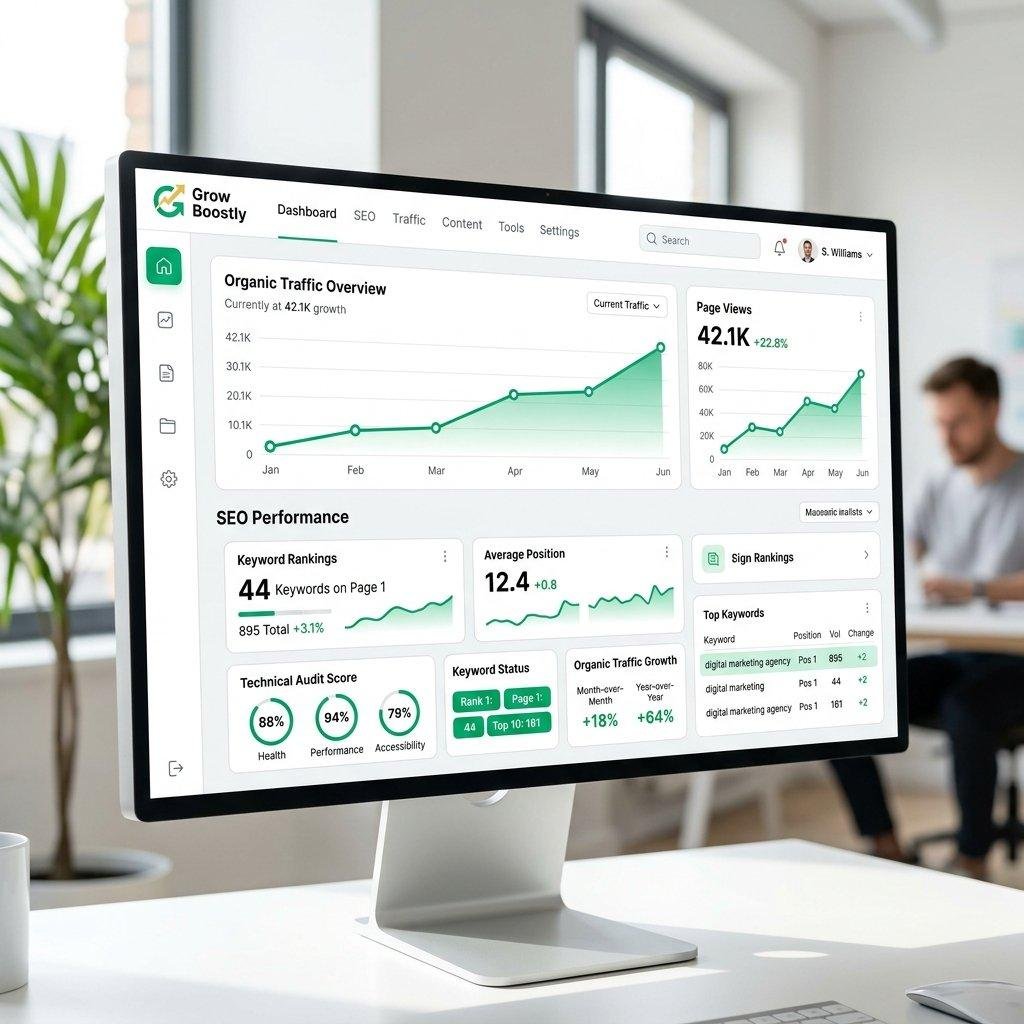
Why Is My Blog Not Getting Traffic? 15 Common Reasons and How to Fix Them
Starting a blog is exciting, especially when you publish your first articles and expect visitors to discover your website through Google and other search engines. However, many bloggers experience a frustrating problem: they publish articles regularly, but their websites receive little or no traffic.
If your blog is not getting traffic, you are not alone. Many new and even established bloggers struggle to attract visitors. Publishing articles does not automatically guarantee that people will find them. Your content needs to be useful, properly optimized, discoverable in search engines, and promoted to the right audience.
The good news is that most blog traffic problems can be investigated and improved. You need to identify what is preventing people from discovering your content and develop a strategy to fix it.
In this article, we will explore 15 common reasons why your blog is not getting traffic and practical ways to attract more visitors.
1. Your Blog Is Still New
One of the most common reasons a blog receives little traffic is that it is relatively new.
When you launch a website, search engines need time to discover its pages, understand its content, and determine how relevant it is to different search queries.
A new website may not have many backlinks, established authority, or a history of useful content. Consequently, it may take time before its articles begin appearing prominently in search results.
However, there is no guaranteed waiting period for Google rankings. Some pages may become visible relatively quickly, while others may take much longer.
How to fix it:
- Publish useful and original articles consistently.
- Make sure search engines can access your website.
- Submit your XML sitemap through Google Search Console.
- Create relevant internal links between articles.
- Promote new content through appropriate channels.
- Continue improving articles based on performance data.
Do not assume your website has failed simply because it receives little traffic during its early stages.
2. You Are Targeting Highly Competitive Keywords
Another reason your blog may not receive traffic is that you are targeting keywords that are too competitive.
For example, imagine you have a new finance blog and publish an article targeting the keyword “How to Make Money.”
This keyword is extremely broad and attracts competition from established websites, financial publications, and other experienced publishers.
It may be difficult for a new website to compete for such a search term.
Instead, consider targeting more specific keywords that match what your audience wants to know.
For example:
- How to Save Money on a Low Income.
- How to Start Investing With $100.
- How to Create a Monthly Budget for Beginners.
- How to Build an Emergency Fund From Scratch.
These more specific keywords may have less competition and attract visitors with clearer search intentions.
How to fix it:
Use keyword research tools to discover relevant search terms. Look for keywords with realistic competition levels, clear search intent, and sufficient relevance to your website.
Popular keyword research tools include:
- Google Keyword Planner.
- Ahrefs.
- Semrush.
- Ubersuggest.
- Google Trends.
Do not choose keywords based only on search volume. A relevant keyword with fewer searches can sometimes attract more valuable visitors than a broad keyword.
3. Your Blog Content Is Not Helpful Enough
Content quality is one of the most important parts of a successful blogging strategy.
If your articles contain very little useful information, repeat the same ideas, or fail to answer readers’ questions, visitors may have little reason to read them.
Search engines aim to provide useful results that satisfy searchers. Simply publishing long articles or repeating keywords does not make content valuable.
For example, an article titled “Best AI Tools for Students” should provide meaningful information about the tools, their features, practical uses, limitations, and suitability for different students.
A weak article might simply list several AI tools without explaining what makes them useful.
How to fix it:
- Answer the main question directly.
- Provide practical examples.
- Include useful explanations and comparisons.
- Use clear headings and short paragraphs.
- Add original insights where possible.
- Verify facts before publishing.
- Update outdated information.
- Avoid copying content from other websites.
Focus on solving the reader’s problem rather than writing articles simply to increase your post count.
4. You Are Not Doing Proper Keyword Research
Keyword research helps you understand what people are searching for online.
Without it, you may publish articles about topics that have little demand or use titles that do not match the language people search with.
For example, you might publish an article called “Financial Growth Strategies for Everyone” when your potential readers are searching for “How to Save Money Every Month.”
Both topics are related, but the second title communicates a more specific search intent.
How to fix it:
Before writing an article:
- Identify your target audience.
- Research the questions they are asking.
- Find relevant keywords.
- Examine the search results.
- Understand what information readers expect.
- Choose a suitable primary keyword.
- Include related terms naturally in your article.
Google Search suggestions, Google Trends, and keyword research platforms can help you discover content opportunities.
5. Your Website Is Not Properly Indexed by Google
Indexing is the process through which Google stores and organizes website pages so they can potentially appear in search results.
If your articles are not indexed, they generally cannot receive organic Google Search traffic.
Sometimes website owners publish several articles without realizing that search engines cannot access them properly.
Possible indexing problems include:
- Your website has a
noindexsetting. - Your robots.txt file blocks important pages.
- Your XML sitemap is missing or incorrect.
- Your pages contain technical errors.
- Your website has poor internal linking.
- Google has discovered pages but has not indexed them.
How to fix it:
Use Google Search Console to investigate your website.
Follow these steps:
- Open Google Search Console.
- Add and verify your website if you have not already done so.
- Submit your XML sitemap.
- Open the URL Inspection tool.
- Enter the address of an important blog post.
- Check whether Google has indexed the page.
- Review any reported indexing problems.
If an eligible page is not indexed, investigate the reason before requesting indexing again.
Remember that requesting indexing does not guarantee that Google will index or rank a page.
6. Your Blog Has Poor On-Page SEO
On-page SEO involves optimizing individual website pages so that search engines and visitors can understand their content.
Even a helpful article may struggle to perform if its structure and optimization are poor.
Important on-page SEO elements include:
- SEO title.
- Meta description.
- Main heading.
- Relevant subheadings.
- Natural keyword placement.
- Descriptive image alt text.
- Internal links.
- Helpful external references.
- Clear URL structure.
For example, if your target keyword is “How to Improve WordPress Website Speed,” your article should explain the topic clearly and use relevant headings covering caching, image compression, hosting, and website performance.
Do not stuff your keyword into every paragraph. Use it naturally and include related phrases where they make sense.
How to fix it:
You can use WordPress SEO plugins such as Yoast SEO or Rank Math to help manage titles, meta descriptions, XML sitemaps, and other optimization settings.
However, installing an SEO plugin alone will not make your website rank. Your content and overall website quality remain important.
7. Your Blog Has Too Many Unrelated Topics
A blog that publishes articles about completely unrelated subjects may struggle to develop a clear identity.
For example, imagine your website publishes articles about personal finance, hospital treatments, football, cooking, cryptocurrency, and mobile phone repairs without a clear organizational strategy.
Visitors may find it difficult to understand what the website specializes in.
Search engines also need to understand the subject and relevance of individual pages.
This does not mean every successful website must cover only one topic. However, organizing related subjects into clear categories can help create a better experience and stronger topical relevance.
How to fix it:
Choose a clear website niche or a few closely related content categories.
For example, a digital marketing blog could focus on:
- Blogging.
- Search engine optimization.
- WordPress.
- Affiliate marketing.
- Email marketing.
- AI tools for content creators.
Publish related articles that support each other and build useful topic clusters.
8. Your Website Is Too Slow
Website speed can influence how visitors experience your blog.
If your website takes too long to load, some visitors may leave before reading your articles.
Slow loading can result from:
- Poor hosting.
- Large uncompressed images.
- Too many unnecessary plugins.
- Unoptimized themes.
- Excessive JavaScript.
- Poor caching configuration.
- Too many third-party scripts.
How to fix it:
- Choose reliable WordPress hosting.
- Compress images before uploading them.
- Use a suitable caching plugin.
- Remove unnecessary plugins.
- Consider using a CDN.
- Select a lightweight theme.
- Optimize important website resources.
Use Google PageSpeed Insights to identify performance problems and receive recommendations.
A faster website improves usability, but speed improvements alone do not guarantee higher search rankings.
9. You Are Not Building Internal Links
Internal links connect one page on your website to another.
They help visitors discover related articles and allow search engines to understand relationships between different pages.
For example, if you publish an article about affiliate marketing, you could link to other relevant articles about:
- How affiliate marketing works.
- Best affiliate marketing platforms.
- How to find affiliate products.
- How to write product reviews.
- How to increase affiliate conversions.
This creates a connected content structure.
How to fix it:
Whenever you publish a new article, identify two or three relevant existing articles that you can link to naturally.
Use descriptive anchor text instead of generic phrases such as “click here.”
Make sure your internal links genuinely help readers find additional information.
10. Your Blog Has Few Quality Backlinks
Backlinks are links from other websites pointing to your website.
They can help search engines discover your content and understand its authority and relevance.
However, not all backlinks are equally valuable. Links from relevant, trustworthy websites are generally more useful than large numbers of artificial or spammy links.
A new blog may have few backlinks because it has not yet developed relationships with other publishers.
How to fix it:
- Publish original research and useful resources.
- Write guest articles for relevant websites.
- Build relationships with other bloggers.
- Share useful content with industry communities.
- Create resources that other publishers may want to reference.
- Promote your best articles through legitimate channels.
Avoid purchasing spammy backlinks or participating in link schemes designed to manipulate search rankings.
Focus on earning relevant links through useful content and genuine relationships.
11. You Are Not Promoting Your Blog
Publishing articles and waiting for Google to send visitors is not always the best strategy, especially when your website is new.
You can increase the visibility of your content by promoting it through relevant channels.
For example, if you publish an article about improving website speed, you could share it with communities interested in WordPress and website development.
Useful promotional channels include:
- Facebook pages and groups.
- Pinterest.
- LinkedIn.
- X.
- Relevant online communities.
- Email newsletters.
- YouTube.
- Industry forums.
Do not spam unrelated groups with links. Participate genuinely and share your articles when they provide useful answers.
A combination of organic search and other legitimate traffic sources can make your blog less dependent on one platform.
12. Your Blog Is Not Mobile-Friendly
Many people browse websites using smartphones and tablets.
If your website is difficult to read or navigate on smaller screens, visitors may leave without exploring your content.
Common mobile usability problems include:
- Text that is too small.
- Images that extend beyond the screen.
- Menus that are difficult to use.
- Overlapping page elements.
- Intrusive pop-ups.
- Buttons that are difficult to tap.
How to fix it:
Choose a responsive WordPress theme that adjusts to different screen sizes.
Test your homepage, blog posts, navigation menu, forms, and other important pages on mobile devices.
Make sure paragraphs are readable, images resize correctly, and visitors can navigate your website comfortably.
13. You Are Publishing Content Without a Consistent Strategy
Publishing articles randomly can make it difficult to build a recognizable blog and attract a specific audience.
For example, you might publish three articles about AI this week, two about sports next week, and another about personal finance several weeks later.
There is nothing wrong with covering multiple subjects when your website is designed for that purpose. However, without a clear plan, your content may not build on previous articles.
How to fix it:
Create a content calendar that identifies:
- Your target categories.
- Article topics.
- Primary keywords.
- Publishing dates.
- Internal linking opportunities.
- Content update dates.
For example, if your blog focuses on SEO, you could publish a series covering keyword research, on-page SEO, technical SEO, internal linking, and link building.
This gives readers a clear learning path and helps you build a more organized content library.
14. Your Content Is Outdated
Information changes over time, especially in areas such as technology, finance, digital marketing, and online business.
An article that was accurate several years ago may no longer answer readers’ questions.
For example, an article about the best AI tools may contain outdated products, features, prices, or recommendations.
If visitors discover that your information is no longer accurate, they may lose confidence in your website.
How to fix it:
Review your important articles regularly.
Update:
- Outdated facts.
- Old statistics.
- Broken links.
- Product information.
- Screenshots.
- Software recommendations.
- Relevant examples.
Do not change the publication date simply to make an old article appear new. Make meaningful improvements and use an accurate updated date where appropriate.
15. You Are Not Checking Your Blog’s Traffic Data
One of the biggest mistakes bloggers make is trying to improve traffic without understanding what is happening on their websites.
You need reliable data to identify the actual problem.
Two useful tools are Google Search Console and Google Analytics.
Google Search Console
Google Search Console helps you understand how your website performs in Google Search.
You can use it to investigate:
- Search impressions.
- Clicks.
- Average search position.
- Search queries.
- Indexing problems.
- Core Web Vitals.
- Search performance by page.
For example, if an article receives many impressions but few clicks, you may need to improve its title and meta description.
If a page receives clicks but very few impressions, you may need to investigate its search visibility and keyword opportunities.
Google Analytics
Google Analytics helps you understand what happens after visitors reach your website.
You can use it to measure:
- Website users.
- Traffic sources.
- Popular pages.
- Engagement.
- Conversions.
- Visitor behaviour.
Together, these tools can help you make informed decisions instead of guessing why your blog is not growing.
How to Get More Traffic to Your Blog: A Practical Action Plan
If your blog is receiving very little traffic, start with these steps.
| Step | Action | Purpose |
|---|---|---|
| 1 | Set up Google Search Console | Monitor search visibility |
| 2 | Check indexing | Make sure important pages can appear in Google |
| 3 | Research keywords | Find relevant search opportunities |
| 4 | Improve existing articles | Make content more useful |
| 5 | Optimize titles and headings | Improve relevance and clarity |
| 6 | Add internal links | Connect related content |
| 7 | Improve website speed | Provide a better user experience |
| 8 | Promote your articles | Reach additional audiences |
| 9 | Build relevant backlinks | Improve discovery and authority |
| 10 | Review performance monthly | Identify what needs improvement |
You do not have to complete every task in one day. Work through the list systematically and measure the results.
Frequently Asked Questions (FAQs)
1. Why is my blog not getting traffic from Google?
Your blog may not be receiving Google traffic because its pages are not indexed, its content does not match search intent, its keywords are too competitive, or its website has technical SEO problems. Use Google Search Console to investigate impressions, clicks, and indexing status.
2. How long does it take for a new blog to get traffic?
There is no guaranteed timeline. Some articles may receive search impressions relatively quickly, while others may take months or longer to gain meaningful traffic. Results depend on competition, content quality, website history, technical accessibility, and other factors.
3. How many articles should I publish per week?
There is no universal publishing requirement. It is better to publish two or three useful, well-researched articles than to publish many weak articles simply to increase your post count. Choose a schedule you can maintain consistently.
4. Can I get blog traffic without backlinks?
Yes. A website can receive organic traffic without having many backlinks, particularly when its content answers specific search queries. However, relevant backlinks can help search engines discover content and may support a website’s authority.
5. Does posting every day increase blog traffic?
Not necessarily. Publishing every day does not guarantee more visitors. Search visibility depends on many factors, including usefulness, search intent, competition, technical SEO, and website quality.
6. Which tool is best for checking blog traffic?
Google Analytics is useful for understanding website visitors and their behaviour. Google Search Console is useful for monitoring Google Search performance, including impressions, clicks, and search queries. Both tools provide different but complementary information.
Conclusion
If your blog is not getting traffic, it does not necessarily mean your website is unsuccessful. The problem may be related to keyword selection, content quality, indexing, technical SEO, competition, or a lack of promotion.
Start by checking whether Google can access and index your important pages. Then review your keyword strategy, improve your existing articles, create relevant internal links, and make sure your website provides a good experience on mobile devices.
Most importantly, stop publishing articles just for the sake of increasing your post count. Focus on answering real questions, solving readers’ problems, and creating content that deserves to be discovered.
Growing a blog takes patience, research, and consistent improvement. With the right strategy and regular performance monitoring, you can gradually increase your website’s visibility and attract more relevant visitors.
SEO Title: Why Is My Blog Not Getting Traffic? 15 Reasons and Solutions
Focus Keyword: Why is my blog not getting traffic
Slug: why-is-my-blog-not-getting-traffic
Meta Description: Is your blog not getting traffic? Discover 15 common reasons why blogs struggle to attract visitors and learn practical SEO strategies to increase traffic.
Category: Blogging, SEO, Website Growth
Tags: Blog Traffic, Increase Blog Traffic, SEO Tips, Google Search Console, Keyword Research, Blogging for Beginners, Website Traffic, Content Marketing

Adeeb Malik is the founder of Capdigitals, where he shares practical insights on digital marketing, blogging, SEO, and online earning. He focuses on simplifying complex strategies into easy, actionable steps for beginners. The content is based on research, real-world concepts, and learning resources. All information is for educational purposes only and does not constitute financial or business advice.